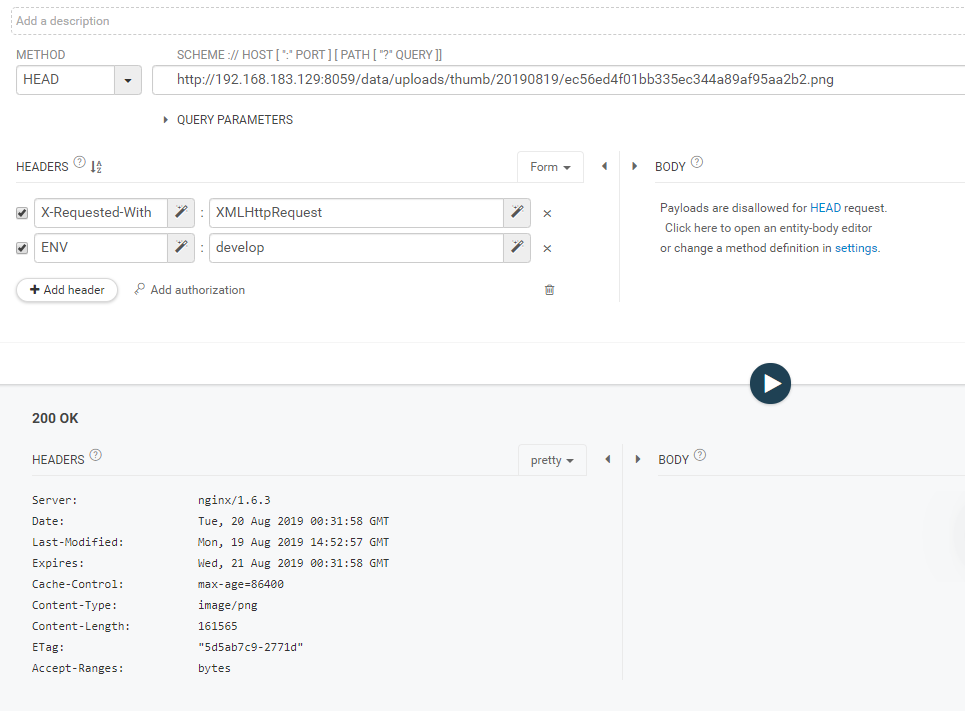
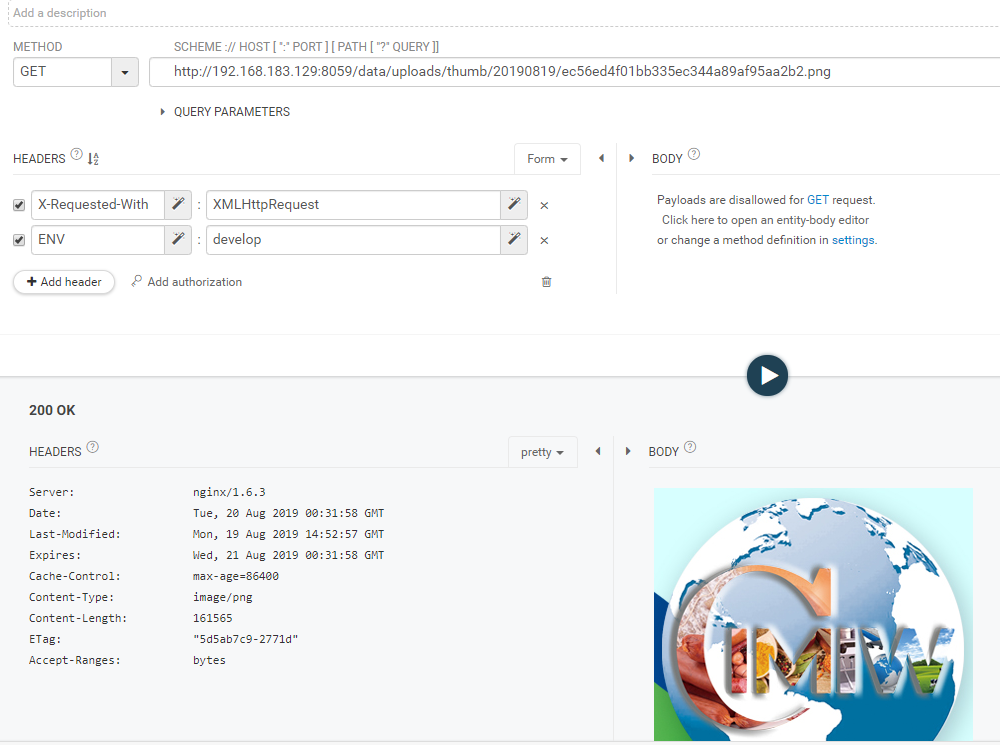
有存在 Content-Length值为0 的情况,请问这是怎么回事呢?跨域问题?我请求的是本地文件是0.服务器文件正常.这该如何解释呢?


1 head 协议,是从服务器请求文件信息,不是请求文件本身内容
2 根据 head 协议,服务器并不会返回 文件内容
3 如果之前没有访问过,因为没有返回过文件内容,所以也不存在缓存
4 解决缓存这种,加个时间戳的参数就解决了
xhr
var xhr = new XMLHttpRequest();
xhr.open('HEAD', 'img/test.jpg', true);
xhr.onreadystatechange = function(){
  if ( xhr.readyState == 4 ) {
    if ( xhr.status == 200 ) {
      alert('Size in bytes: ' + xhr.getResponseHeader('Content-Length'));
    } else {
      alert('ERROR');
    }
  }
};
xhr.send(null);


var img = document.createElement('img');

img.onload = function () { alert(img.width + ' x ' + img.height); };

img.src='http://sstatic.net/so/img/logo.png';


 function check(){
      var imgpath=document.getElementById('imgfile');
      if (!imgpath.value==""){
        var img=imgpath.files[0].size;
        var imgsize=img/1024;
        alert(imgsize);
      }
}jquery:http://jquery.cuishifeng.cn/jQuery.Ajax.html
如果是jquery ajax请求图片,需要在 nginx 或apache 服务器上添加header头信息
例如:
server {
        listen       8011;
        server_name  localhost ;
        root   "E:\phpStudy\WWW\laravel_admin\public";


        add_header Access-Control-Allow-Origin *;
        add_header Access-Control-Allow-Methods 'HEAD, GET, POST, PUT, DELETE, OPTIONS';

        location / {
            index  index.html index.htm index.php;
	    try_files $uri $uri/ /index.php?$query_string;
            #autoindex  on;
        }
        location ~ \.php(.*)$ {
            fastcgi_pass   127.0.0.1:9000;
            fastcgi_index  index.php;
            fastcgi_split_path_info  ^((?U).+\.php)(/?.+)$;
            fastcgi_param  SCRIPT_FILENAME  $document_root$fastcgi_script_name;
            fastcgi_param  PATH_INFO  $fastcgi_path_info;
            fastcgi_param  PATH_TRANSLATED  $document_root$fastcgi_path_info;
            include        fastcgi_params;
        }
}
<!DOCTYPE html>
<html>
<head>
<meta charset='utf-8' />
<script src="https://cdn.bootcss.com/jquery/1.11.3/jquery.min.js"></script>
<script type="text/javascript">
$.ajax({
'//url': 'http://127.0.0.1:8011/api/admin/login',
'url': 'http://127.0.0.1:8011/thumb/zvLMJGEGmRdum0YLrDzX4JumZezKr4lOdgS9vYN5.png',
//'contentType': 'application/json',
'method':'head',
'headers':{
//'X-Access-Token':'asdfasd',
//"X-Requested-With":"XMLHttpRequest",
//"Weiyi-Env":"development"
},
'data':{
//'type':'1'
},
success:function(data,textStatus,xhr){
console.log('success');
console.log(data);
console.log(textStatus);
console.log(xhr.getResponseHeader('content-type'));
console.log(xhr.getResponseHeader('content-length'));
console.log(xhr);
console.log(xhr.getAllResponseHeaders());
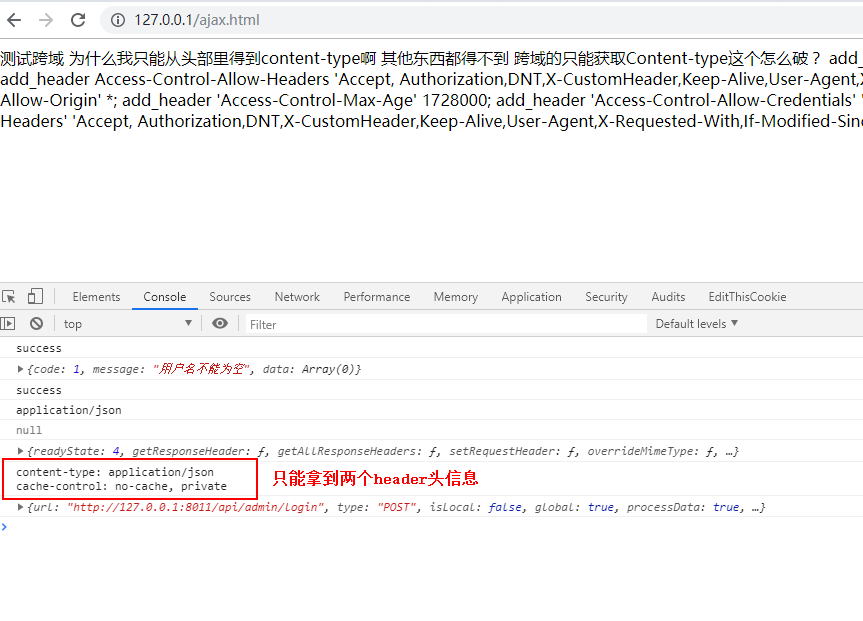
//跨域只能获取到这些数据
//last-modified: Thu, 11 Jul 2019 07:23:17 GMT
//content-type: image/png
console.log(this);
},
error:function (XMLHttpRequest, textStatus, errorThrown) {
console.log(123123123);
console.log(XMLHttpRequest);
console.log(textStatus);
console.log(errorThrown);
}
});
</script>
</head>
<body>
测试跨域
</body>
</html>需要说明,跨域请求,只能拿到 Content-Type 这个类型的header头信息