migration 是laravel提供一套数据库建表的功能:
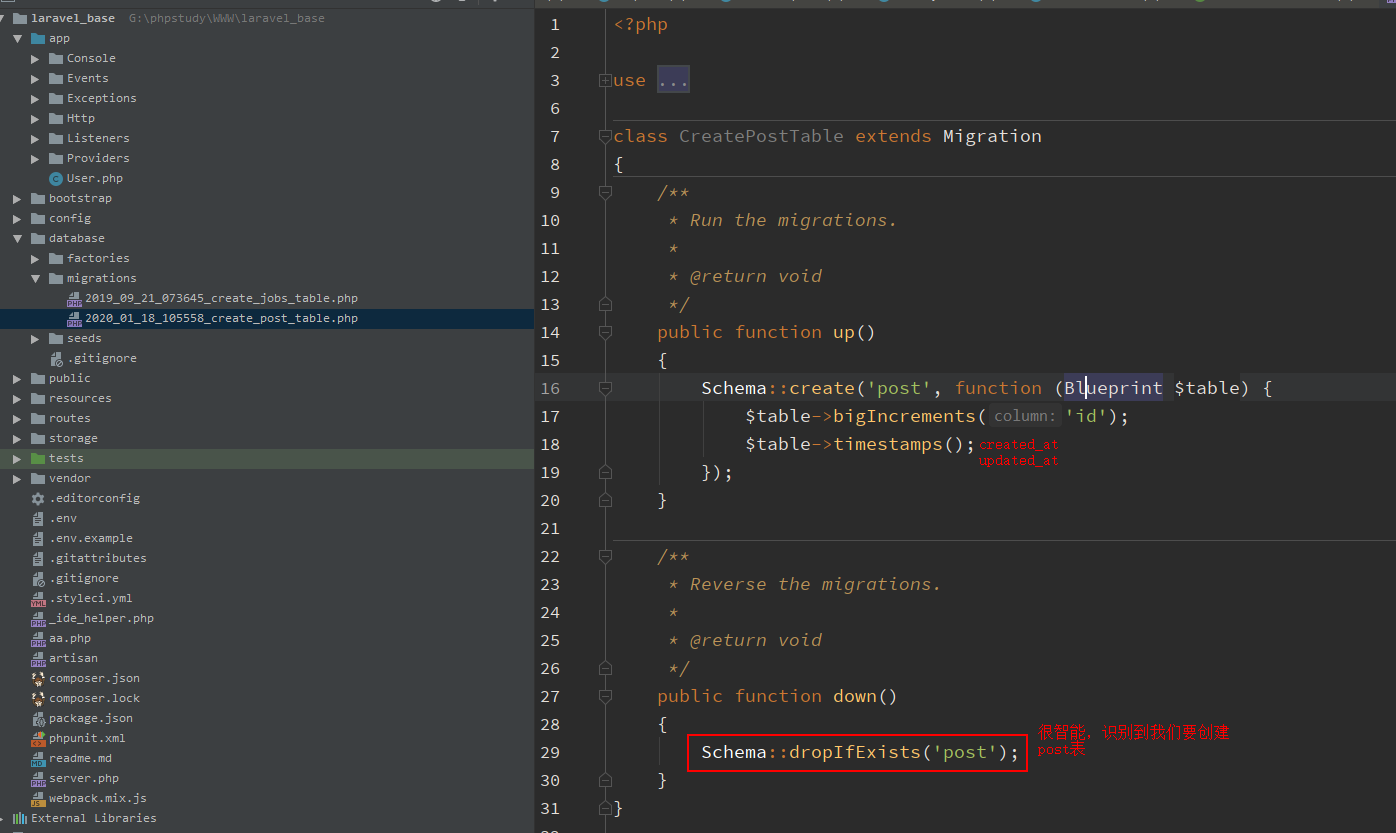
看操作步骤:
G:\phpstudy\WWW\laravel_base>php artisan make:migration create_post_table
Created Migration: 2020_01_18_105558_create_post_table
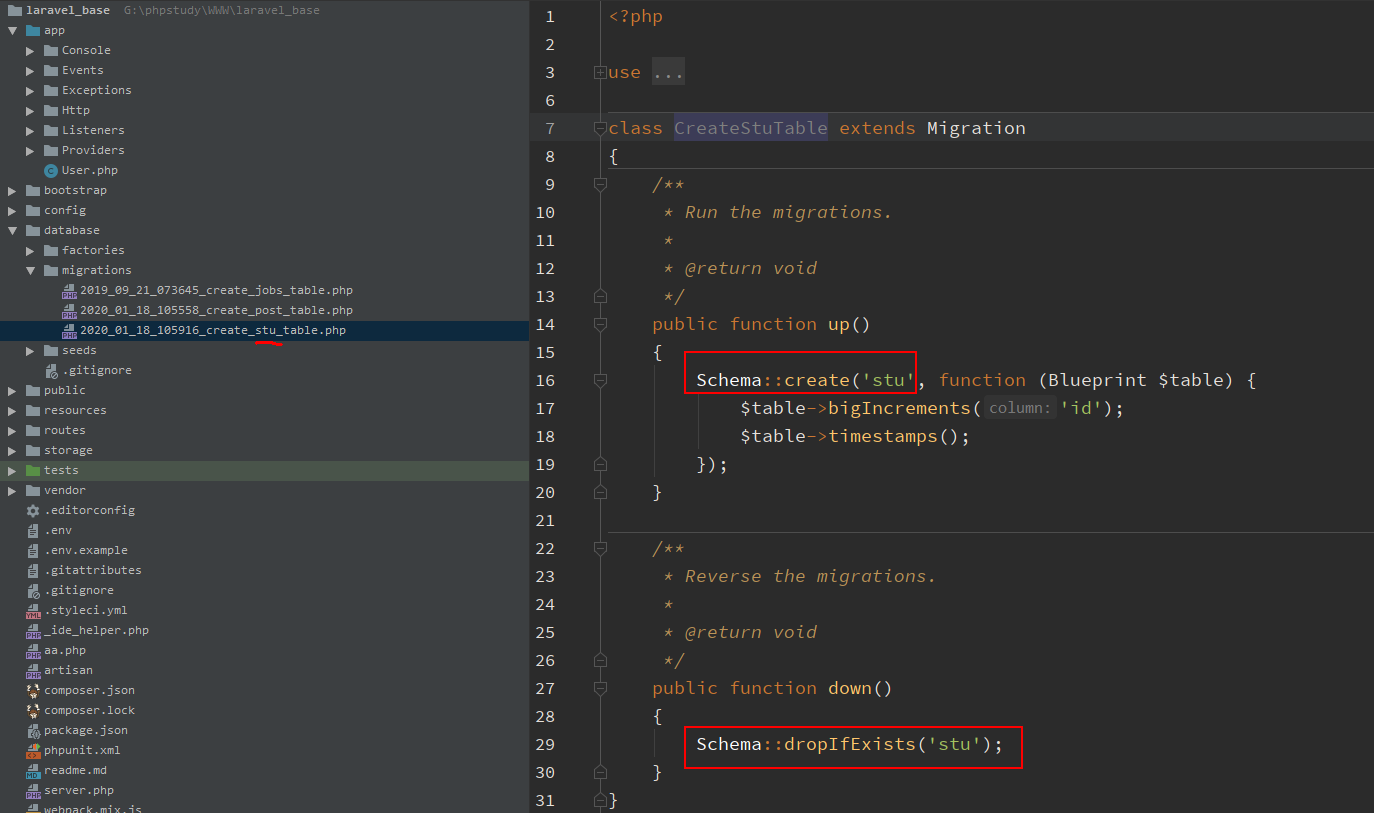
再例如:
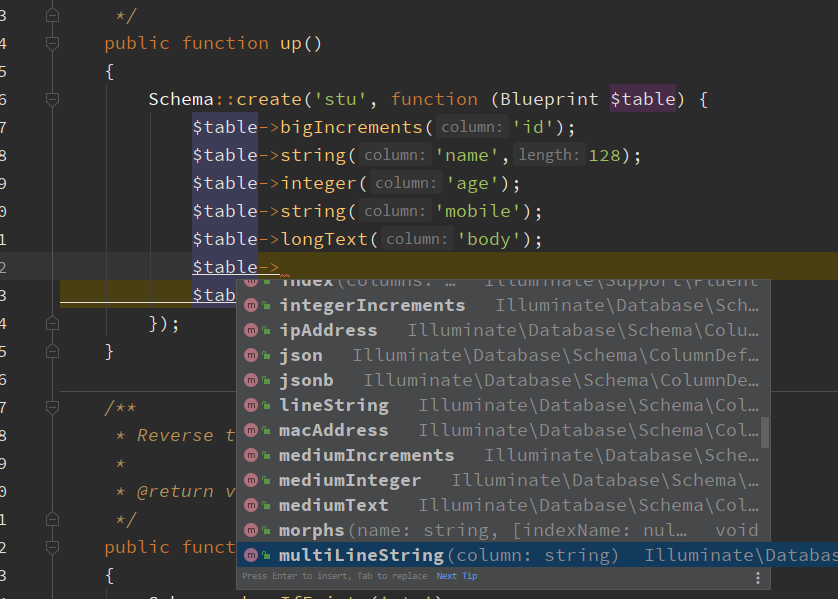
当我我们在编写建表数据的时候,ide非常的智能,能自动提醒如下图:
migrate 其他扩展:
 migrate
  migrate:fresh              Drop all tables and re-run all migrations   删除所有表并重新运行所有迁移
  migrate:install             Create the migration repository  创建迁移存储库
  migrate:refresh             Reset and re-run all migrations  重置并重新运行所有迁移   和  migrate:fresh 差不多
  migrate:reset              Rollback all database migrations   回滚所有的数据库迁移  删除所有在migration中创建的表
  migrate:rollback             Rollback the last database migration  回滚上一次数据库迁移 撤销上一次migrate的执行
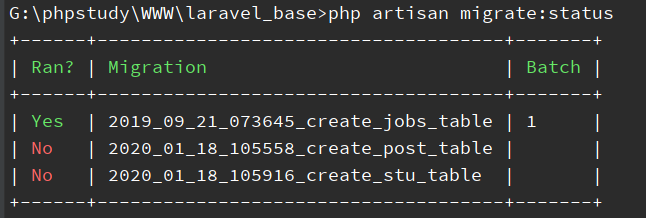
  migrate:status              Show the status of each migration  显示每个迁移的状态
php artisan migration:status 查看migration的状态
G:\phpstudy\WWW\laravel_base>php artisan migrate:status
php artisan migrate 执行所有migration
G:\phpstudy\WWW\laravel_base>php artisan migrate
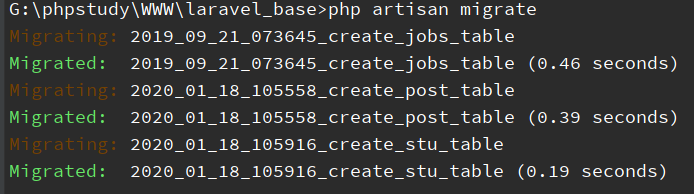
可以看到已经创建了三张表,使用工具到数据库看一下吧
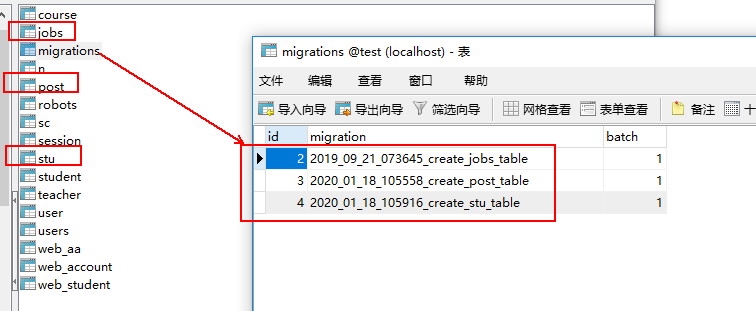
使用 make:migration 创建命令的时候,请确保 database/migrations 目录一定存在。
php artisan migrate:fresh 刷新
G:\phpstudy\WWW\laravel_base>php artisan migrate
目的就是更正数据中变化的结构,全部以migration中的为准
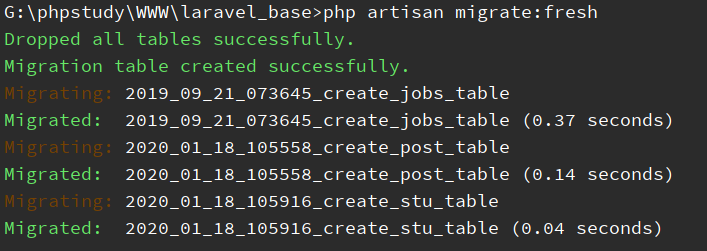
此功能一般不要使用,会将数据库所有的表删掉。
其他使用代码实例:
Schema::create('jobs', function (Blueprint $table) {
    $table->bigIncrements('id');
    $table->string('queue')->index();
    $table->longText('payload');
    $table->unsignedTinyInteger('attempts');
    $table->unsignedInteger('reserved_at')->nullable();
    $table->unsignedInteger('available_at');
    $table->unsignedInteger('created_at');
});
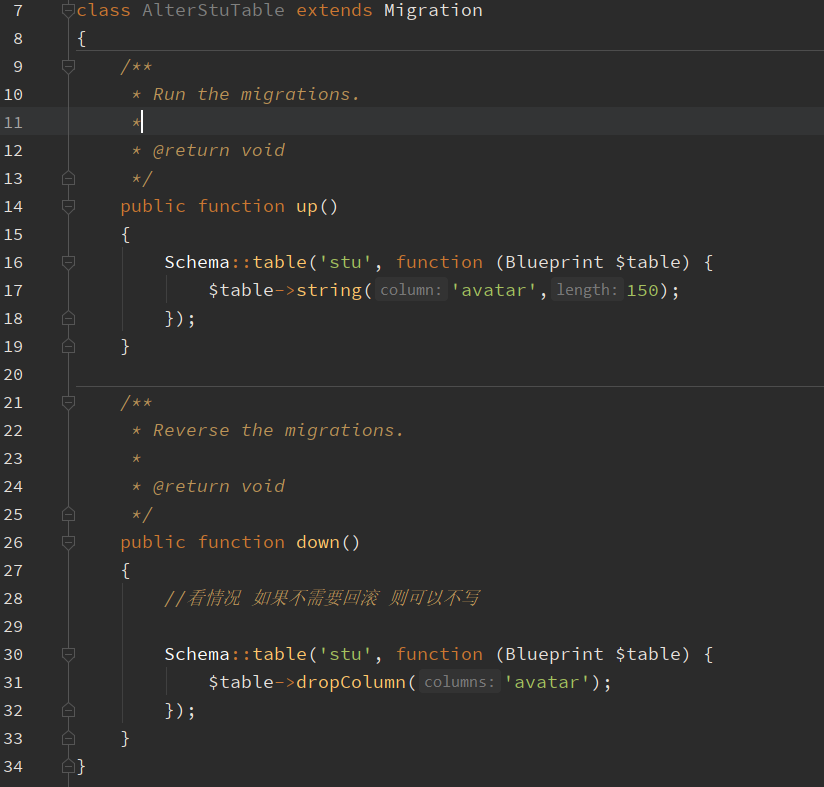
php artisan make:migration alter_stu_table 修改表结构
class AlterStuTable extends Migration
{
    /**
     * Run the migrations.
     *
     * @return void
     */
    public function up()
    {
        Schema::table('stu', function (Blueprint $table) {
            $table->string('avatar',150);
        });
    }

    /**
     * Reverse the migrations.
     *
     * @return void
     */
    public function down()
    {
        //看情况 如果不需要回滚 则可以不写

        Schema::table('stu', function (Blueprint $table) {
            $table->dropColumn('avatar');
        });
    }
}
现有数据库表结构
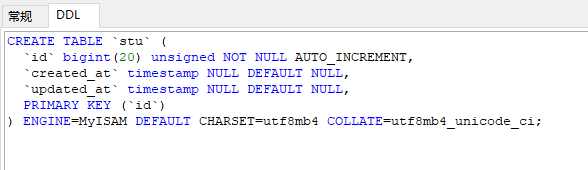
php artisan migrate

执行后的表结构
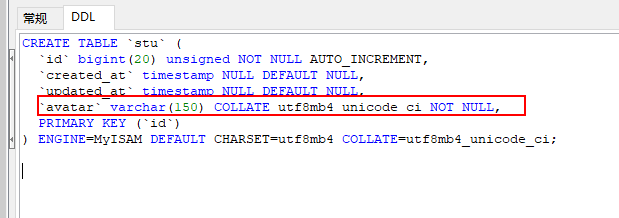
已经添加上avatar 字段了。
php artisan migrate:rollback 撤销上一次的执行 回滚
G:\phpstudy\WWW\laravel_base>php artisan migrate:rollback
Rolling back: 2020_01_18_231123_alter_stu_table
Rolled back:  2020_01_18_231123_alter_stu_table (0.4 seconds)
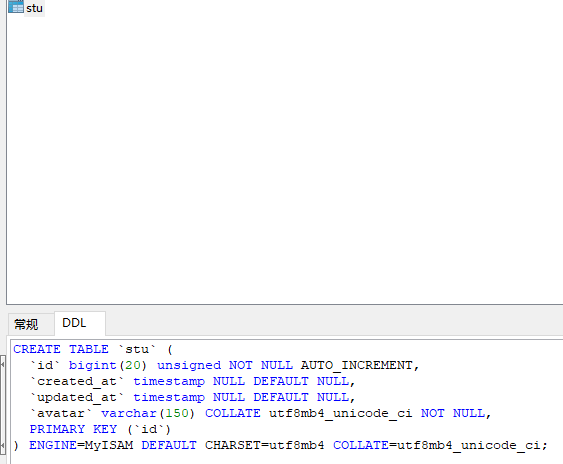
撤销上一次执行的结果
那么在此执行 migrate 是否可以将全部数据加回呢?
答案是肯定的
G:\phpstudy\WWW\laravel_base>php artisan migrate
Migrating: 2020_01_18_231123_alter_stu_table
Migrated:  2020_01_18_231123_alter_stu_table (0.39 seconds)
PS:cretae 创建表时,字段要想得完善一些,后期不能修改这个文件了(修改或删除字段,需要新建一个数据库迁移文件,下面说)
详情的字段类型和操作,看这里 http://laravelacademy.org/post/6171.html#ipt_kb_toc_6171_8
| 命令 | 描述 |
|---|---|
$table->bigIncrements('id'); | 自增ID,类型为bigint |
$table->bigInteger('votes'); | 等同于数据库中的BIGINT类型 |
$table->binary('data'); | 等同于数据库中的BLOB类型 |
$table->boolean('confirmed'); | 等同于数据库中的BOOLEAN类型 |
$table->char('name', 4); | 等同于数据库中的CHAR类型 |
$table->date('created_at'); | 等同于数据库中的DATE类型 |
$table->dateTime('created_at'); | 等同于数据库中的DATETIME类型 |
$table->dateTimeTz('created_at'); | 等同于数据库中的DATETIME类型(带时区) |
$table->decimal('amount', 5, 2); | 等同于数据库中的DECIMAL类型,带一个精度和范围 |
$table->double('column', 15, 8); | 等同于数据库中的DOUBLE类型,带精度, 总共15位数字,小数点后8位. |
$table->enum('choices', ['foo', 'bar']); | 等同于数据库中的 ENUM类型 |
$table->float('amount'); | 等同于数据库中的 FLOAT 类型 |
$table->increments('id'); | 数据库主键自增ID |
$table->integer('votes'); | 等同于数据库中的 INTEGER 类型 |
$table->ipAddress('visitor'); | 等同于数据库中的 IP 地址 |
$table->json('options'); | 等同于数据库中的 JSON 类型 |
$table->jsonb('options'); | 等同于数据库中的 JSONB 类型 |
$table->longText('description'); | 等同于数据库中的 LONGTEXT 类型 |
$table->macAddress('device'); | 等同于数据库中的 MAC 地址 |
$table->mediumIncrements('id'); | 自增ID,类型为无符号的mediumint |
$table->mediumInteger('numbers'); | 等同于数据库中的 MEDIUMINT类型 |
$table->mediumText('description'); | 等同于数据库中的 MEDIUMTEXT类型 |
$table->morphs('taggable'); | 添加一个 INTEGER类型的 taggable_id 列和一个 STRING类型的 taggable_type列 |
$table->nullableTimestamps(); | 和 timestamps()一样但允许 NULL值. |
$table->rememberToken(); | 添加一个 remember_token 列: VARCHAR(100) NULL. |
$table->smallIncrements('id'); | 自增ID,类型为无符号的smallint |
$table->smallInteger('votes'); | 等同于数据库中的 SMALLINT 类型 |
$table->softDeletes(); | 新增一个 deleted_at 列 用于软删除. |
$table->string('email'); | 等同于数据库中的 VARCHAR 列 . |
$table->string('name', 100); | 等同于数据库中的 VARCHAR,带一个长度 |
$table->text('description'); | 等同于数据库中的 TEXT 类型 |
$table->time('sunrise'); | 等同于数据库中的 TIME类型 |
$table->timeTz('sunrise'); | 等同于数据库中的 TIME 类型(带时区) |
$table->tinyInteger('numbers'); | 等同于数据库中的 TINYINT 类型 |
$table->timestamp('added_on'); | 等同于数据库中的 TIMESTAMP 类型 |
$table->timestampTz('added_on'); | 等同于数据库中的 TIMESTAMP 类型(带时区) |
$table->timestamps(); | 添加 created_at 和 updated_at列 |
$table->timestampsTz(); | 添加 created_at 和 updated_at列(带时区) |
$table->unsignedBigInteger('votes'); | 等同于数据库中无符号的 BIGINT 类型 |
$table->unsignedInteger('votes'); | 等同于数据库中无符号的 INT 类型 |
$table->unsignedMediumInteger('votes'); | 等同于数据库中无符号的 MEDIUMINT 类型 |
$table->unsignedSmallInteger('votes'); | 等同于数据库中无符号的 SMALLINT 类型 |
$table->unsignedTinyInteger('votes'); | 等同于数据库中无符号的 TINYINT 类型 |
$table->uuid('id'); | 等同于数据库的UUID |
非空、默认值等修改操作看这里 http://laravelacademy.org/post/6171.html#ipt_kb_toc_6171_10
| 修改器 | 描述 |
|---|---|
->after('column') | 将该列置于另一个列之后 (仅适用于MySQL) |
->comment('my comment') | 添加注释信息 |
->default($value) | 指定列的默认值 |
->first() | 将该列置为表中第一个列 (仅适用于MySQL) |
->nullable() | 允许该列的值为NULL |
->storedAs($expression) | 创建一个存储生成列(只支持MySQL) |
->unsigned() | 设置 integer 列为 UNSIGNED |
->virtualAs($expression) | 创建一个虚拟生成列(只支持MySQL) |
| Command | Description |
|---|---|
$table->bigIncrements('id'); | Incrementing ID using a "big integer" equivalent |
$table->bigInteger('votes'); | BIGINT equivalent to the table |
$table->binary('data'); | BLOB equivalent to the table |
$table->boolean('confirmed'); | BOOLEAN equivalent to the table |
$table->char('name', 4); | CHAR equivalent with a length |
$table->date('created_at'); | DATE equivalent to the table |
$table->dateTime('created_at'); | DATETIME equivalent to the table |
$table->decimal('amount', 5, 2); | DECIMAL equivalent with a precision and scale |
$table->double('column', 15, 8); | DOUBLE equivalent with precision, 15 digits in total and 8 after the decimal point |
$table->enum('choices', ['foo', 'bar']); | ENUM equivalent to the table |
$table->float('amount'); | FLOAT equivalent to the table |
$table->increments('id'); | Incrementing ID to the table (primary key) |
$table->integer('votes'); | INTEGER equivalent to the table |
$table->json('options'); | JSON equivalent to the table |
$table->jsonb('options'); | JSONB equivalent to the table |
$table->longText('description'); | LONGTEXT equivalent to the table |
$table->mediumInteger('numbers'); | MEDIUMINT equivalent to the table |
$table->mediumText('description'); | MEDIUMTEXT equivalent to the table |
$table->morphs('taggable'); | Adds INTEGER taggable_id and STRING taggable_type |
$table->nullableTimestamps(); | Same as timestamps(), except allows NULLs |
$table->smallInteger('votes'); | SMALLINT equivalent to the table |
$table->tinyInteger('numbers'); | TINYINT equivalent to the table |
$table->softDeletes(); | Adds deleted_at column for soft deletes |
$table->string('email'); | VARCHAR equivalent column |
$table->string('name', 100); | VARCHAR equivalent with a length |
$table->text('description'); | TEXT equivalent to the table |
$table->time('sunrise'); | TIME equivalent to the table |
$table->timestamp('added_on'); | TIMESTAMP equivalent to the table |
$table->timestamps(); | Adds created_at and updated_at columns |
$table->rememberToken(); | Adds remember_token as VARCHAR(100) NULL |
->nullable() | Designate that the column allows NULL values |
->default($value) | Declare a default value for a column |
->unsigned() | Set INTEGER to UNSIGNED |
To drop an index you must specify the index's name. Laravel assigns a reasonable name to the indexes by default.
Simply concatenate the table name, the names of the column in the index, and the index type. Here are some examples:
| Command | Description |
|---|---|
$table->dropPrimary('users_id_primary'); | Dropping a primary key from the "users" table |
$table->dropUnique('users_email_unique'); | Dropping a unique index from the "users" table |
$table->dropIndex('geo_state_index'); | Dropping a basic index from the "geo" table |
To drop the timestamps, nullableTimestamps or softDeletes column types, you may use the following methods:
| Command | Description |
|---|---|
$table->dropTimestamps(); | Dropping the created_at and updated_at columns from the table |
$table->dropSoftDeletes(); |