Laravel安装 cors 跨域组件
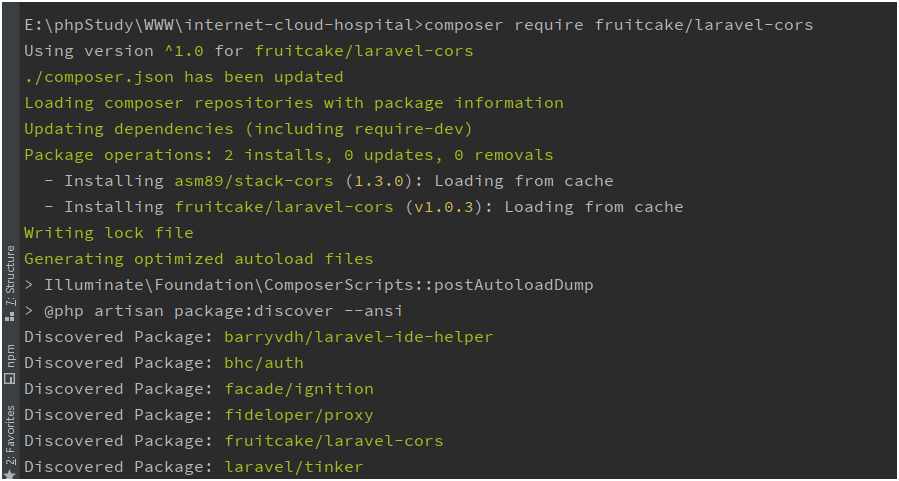
第一步:
composer require fruitcake/laravel-cors
第二步:
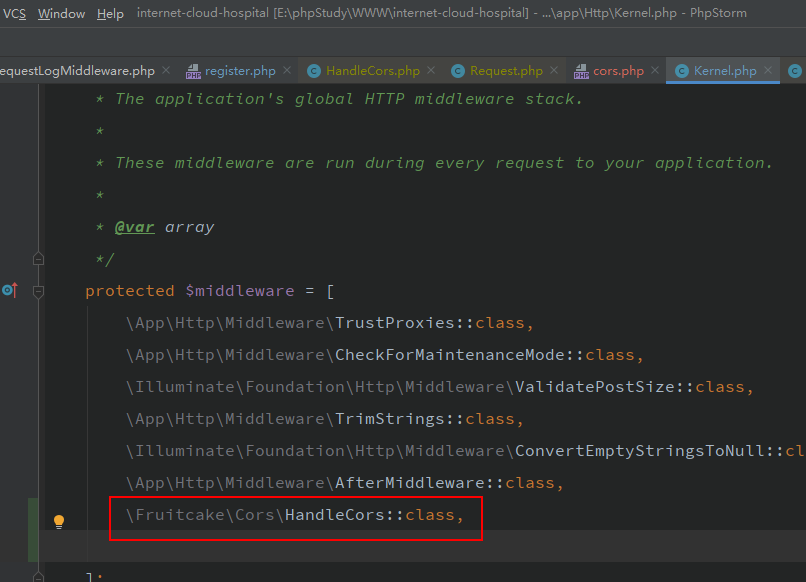
在app/Http/Kernel.php文件中找到 $middleware 添加上
\Fruitcake\Cors\HandleCors::class,
第三步 生成配置文件
The defaults are set in `config/cors.php`. Publish the config to copy the file to your own config:
```sh
php artisan vendor:publish --tag="cors"
```
执行命令,生成配置文件路径 在 config/cors.php
php artisan vendor:publish --tag="cors"

代码如下:
<?php

return [

    /*
    |--------------------------------------------------------------------------
    | Laravel CORS Options
    |--------------------------------------------------------------------------
    |
    | The allowed_methods and allowed_headers options are case-insensitive.
    |
    | You don't need to provide both allowed_origins and allowed_origins_patterns.
    | If one of the strings passed matches, it is considered a valid origin.
    |
    | If array('*') is provided to allowed_methods, allowed_origins or allowed_headers
    | all methods / origins / headers are allowed.
    |
    */

    /*
     * You can enable CORS for 1 or multiple paths.
     * Example: ['api/*']
     */
    'paths' => ['custom/*', 'api/*'],

    /*
    * Matches the request method. `[*]` allows all methods.
    */
    'allowed_methods' => ['*'],

    /*
     * Matches the request origin. `[*]` allows all origins.
     */
    'allowed_origins' => ['*'],

    /*
     * Matches the request origin with, similar to `Request::is()`
     */
    'allowed_origins_patterns' => [],

    /*
     * Sets the Access-Control-Allow-Headers response header. `[*]` allows all headers.
     */
    'allowed_headers' => [
        'Content-Type',
        'X-Requested-With',
        'Uni-Source',
        'X-Access-Token',
        'Bhc-Gateway-Token',
        'Bhc-Gateway-Client-Id',
        'Bhc-Gateway-Source-Id',
        'Bhc-Gateway-Openid',
        'x-access-token'
    ],

    /*
     * Sets the Access-Control-Expose-Headers response header.
     */
    'exposed_headers' => false,

    /*
     * Sets the Access-Control-Max-Age response header.
     */
    'max_age' => false,

    /*
     * Sets the Access-Control-Allow-Credentials header.
     */
    'supports_credentials' => false,
];
需要特别注意:
生成的配置文件需要配置,开启跨域
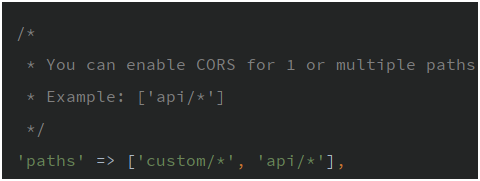
paths => [''] //必须配置 否则不开启跨域
You can enable CORS for 1 or multiple paths.
必须配置参数
默认情况下是关闭状态 , 这里必须要有一个参数,才能启动
如图所示:
到这里跨域已经配置完成。
testAjax.html
<html lang="en">
<head>
   <meta charset="UTF-8">


<script src="http://www.xiaosongit.com/Public/Js/jquery.js"></script>

<script>

$.ajax({

    'url':'http://127.0.0.1:8888/custom/inquiry/doctorList',
    'method':'post',
    'headers':{
        'accept':"application/json; charset=utf-8",
        'X-Access-Token':'123456'
    },
    'data':{
        'currentPage':'1',
        'pageSize':'10'
    },
        success:function(data){
        console.log(data);
    }
});

</script>

      <title>Document</title>
</head>
<body>

</body>
</html>
运行结果:
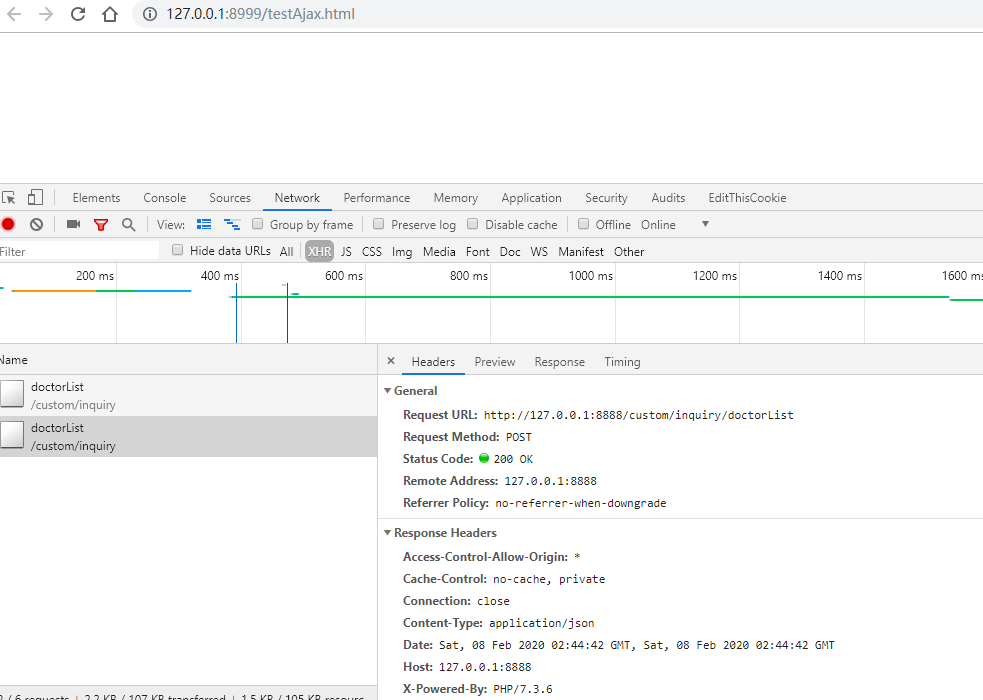
跨域options请求如图:
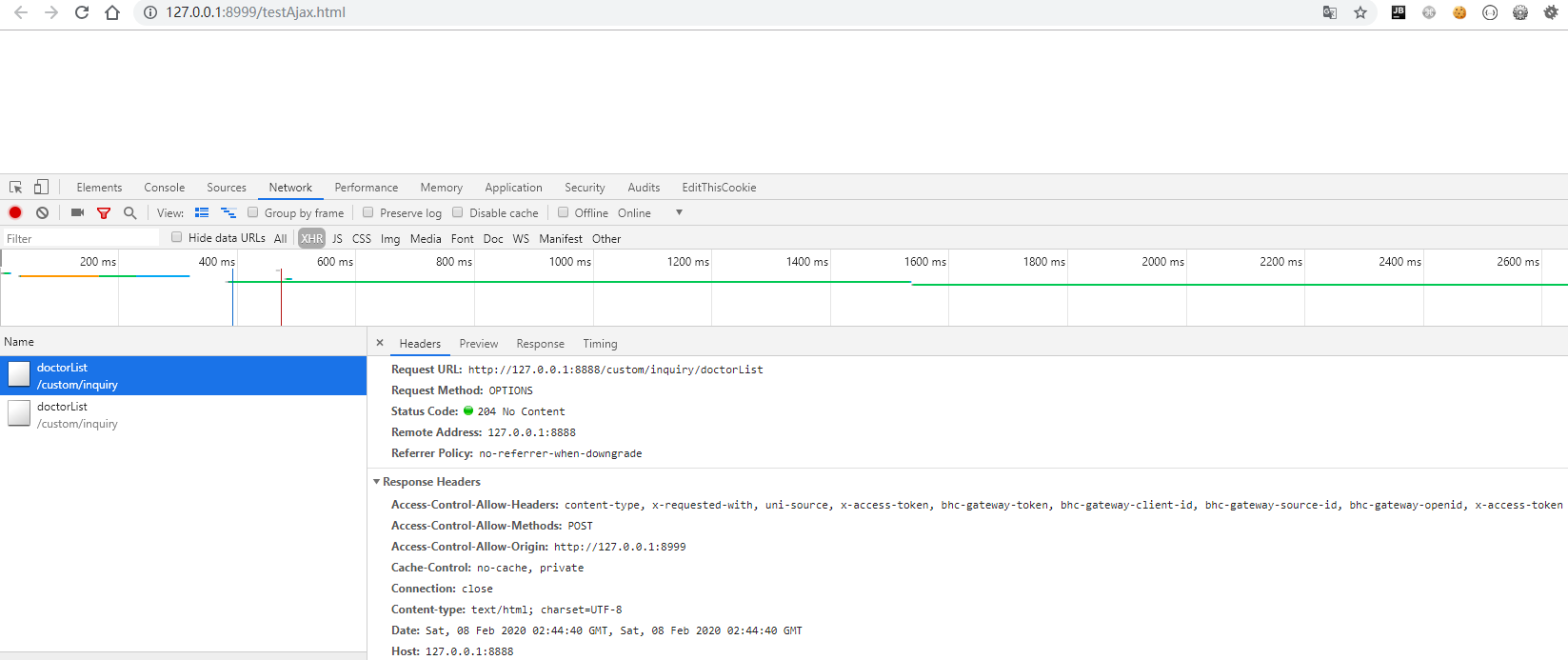
首先要介绍一下laravel处理的路由模式,官方文档这样说:
所有的 Laravel 路由都在 routes 目录中的路由文件中定义,这些文件都由框架自动加载。 routes/web.php 文件中定义你的 web 页面路由。这些路由都会应用 web 中间件组,其提供了诸如 Session 和 CSRF 保护等特性。定义在 routes/api.php 中的路由都是无状态的,并且会应用 api 中间件组。
laravel中有两个默认路由配置,一个是routes目录下的
web.php,一个是routes目录下的api.php;web.php中定义的路由默认使用了Session 和 CSRF 保护等特性,所以可以直接使用会话技术,也就是正常的页面请求处理是默认走的web.php中定义的路由或路由组api.php的所有路由都是无状态的,并且没有使用Session 和 CSRF 保护的特性保护,所以里面定义的路由更适合为app提供接口,laravel默认当用户的请求路由前缀为api时,laravel自动去调用api.php中所定义的路由或路由组。这是因为,在laravel的路由服务提供者中配置了路由前缀为api,下图为路由服务提供者所在目录路径
这段代码主要操作是允许 /** 下所有路由都允许OPTION方法,并且返回允许的跨域的头部声明.
到这边就完成了CORS 中的预检请求
之后只需要在真正接口后增加名为cross.domain 中间件就完成了所有跨域请求.
如果需要跨域Cookie那么还需要一下几点
Access-Control-Allow-Origin 不能设置 * 必须指定允许的域
后端返回设置header Access-Control-Allow-Credentials 选项 为 true https://developer.mozilla.org/zh-CN/docs/Web/HTTP/Headers/Access-Control-Allow-Credentials
XMLHttpRequest.withCredentials 选项设置为 true
以上条件缺一不可!
chrome-extension://ieoejemkppmjcdfbnfphhpbfmallhfnc/debug.html
https://www.jianshu.com/p/1bae1d6a03b2