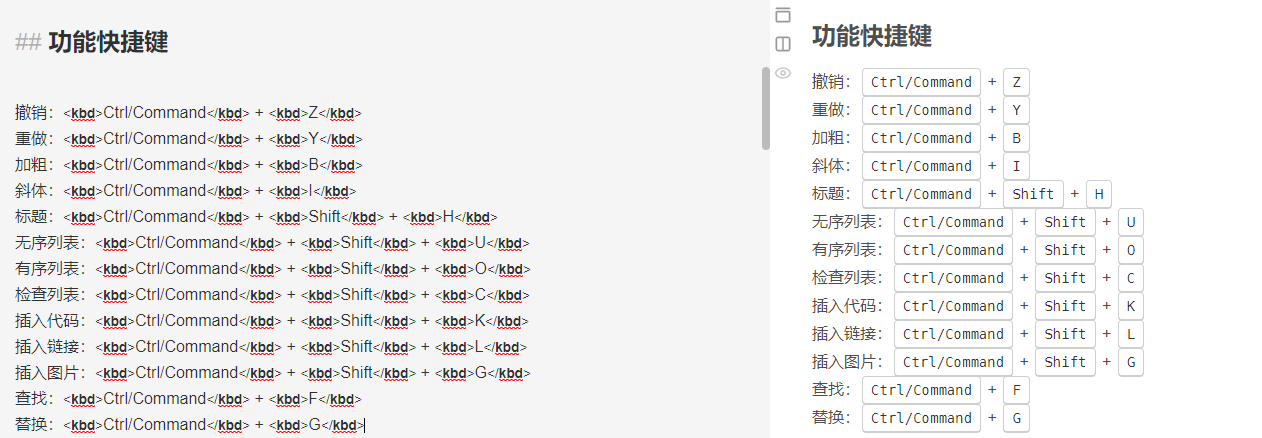
在开发中,项目上传到github上后,.md文档 写的不是特别标准,也不知道怎么写!
今天在下载github上的一个项目,无意间看到了md的文档标准写法,现在记录下来:
Authentication
==============
Many requests that you make will require authentication of some type. Requests
includes support out of the box for HTTP Basic authentication, with more
built-ins coming soon.

Making a Basic authenticated call is ridiculously easy:

```php
$options = array(
   'auth' => new Requests_Auth_Basic(array('user', 'password'))
);
Requests::get('http://httpbin.org/basic-auth/user/password', array(), $options);
```

As Basic authentication is usually what you want when you specify a username
and password, you can also just pass in an array as a shorthand:

```php
$options = array(
   'auth' => array('user', 'password')
);
Requests::get('http://httpbin.org/basic-auth/user/password', array(), $options);
```

Note that POST/PUT can also take a data parameter, so you also need that
before `$options`:

```php
Requests::post('http://httpbin.org/basic-auth/user/password', array(), null, $options);
```
markDown相关标签:
目录
# 一级目录
## 二级目录
### 三级目录
标题
# 1级标题
## 2级标题
### 3级标题
#### 四级标题
##### 五级标题
###### 六级标题
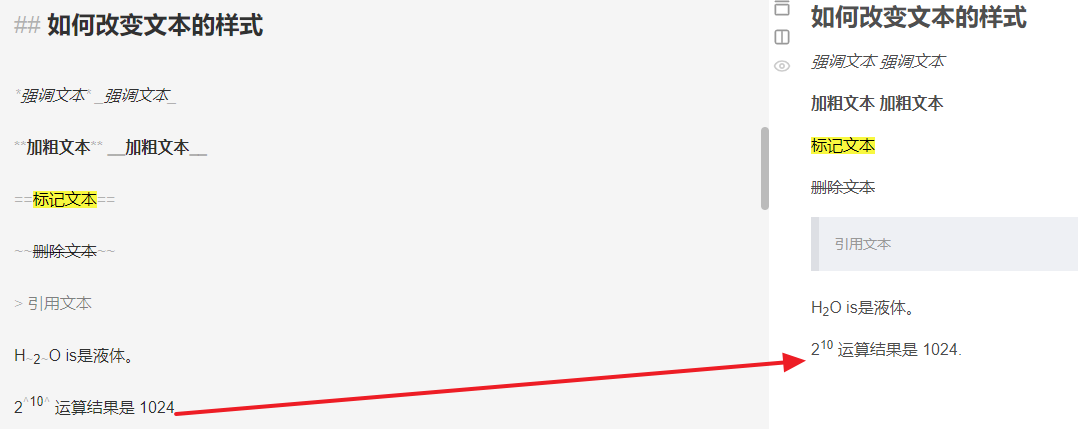
文本样式
*强调文本* _强调文本_
**加粗文本** __加粗文本__
==标记文本==
~~删除文本~~
> 引用文本
H~2~O is是液体。
2^10^ 运算结果是 1024。
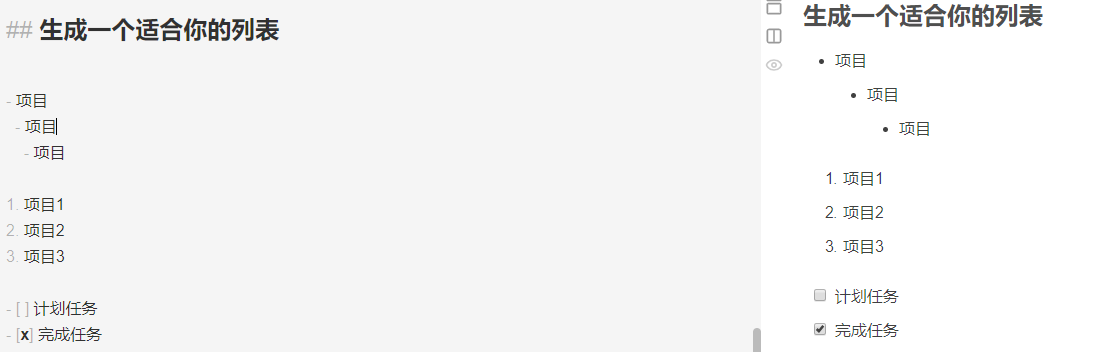
列表
- 项目
* 项目
+ 项目
1. 项目1
2. 项目2
3. 项目3
- [ ] 计划任务
- [x] 完成任务
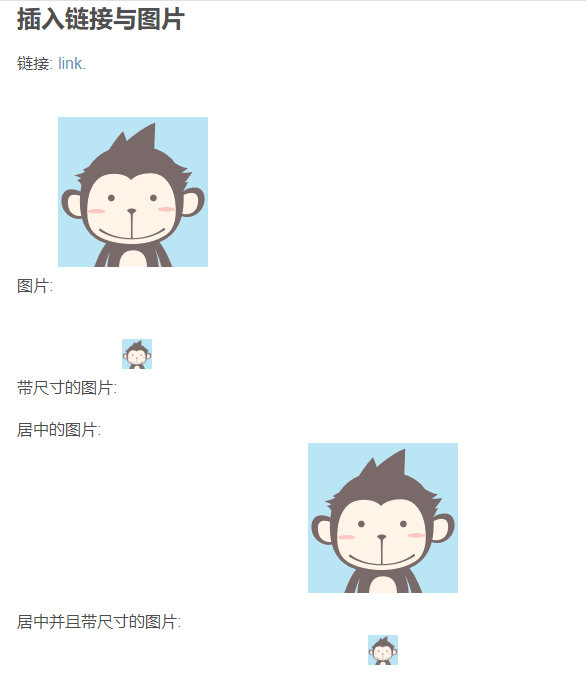
链接
链接: [link](https://www.csdn.net/).
图片: 
带尺寸的图片: 
居中的图片: 
居中并且带尺寸的图片: 
代码块
```
// A code block
var foo = 'bar';
```
```javascript
// An highlighted block
var foo = 'bar';
```
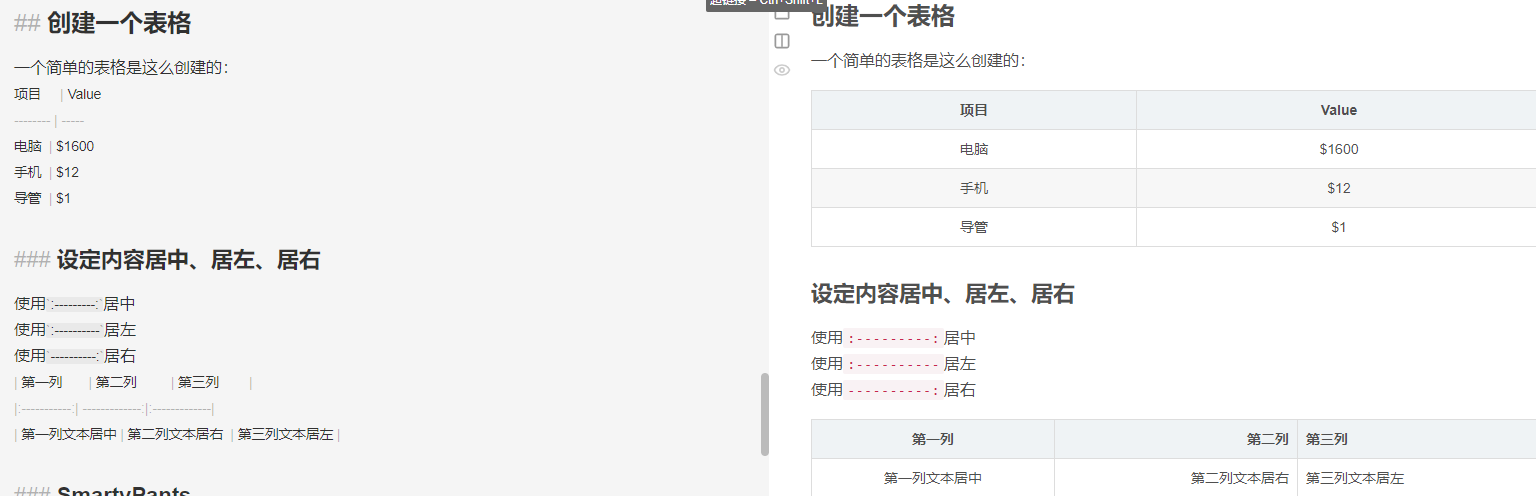
表格
项目 | Value
-------- | -----
电脑 | $1600
手机 | $12
导管 | $1
| Column 1 | Column 2 |
|:--------:| -------------:|
| centered 文本居中 | right-aligned 文本居右 |
注脚
一个具有注脚的文本。[^1]
[^1]: 注脚的解释
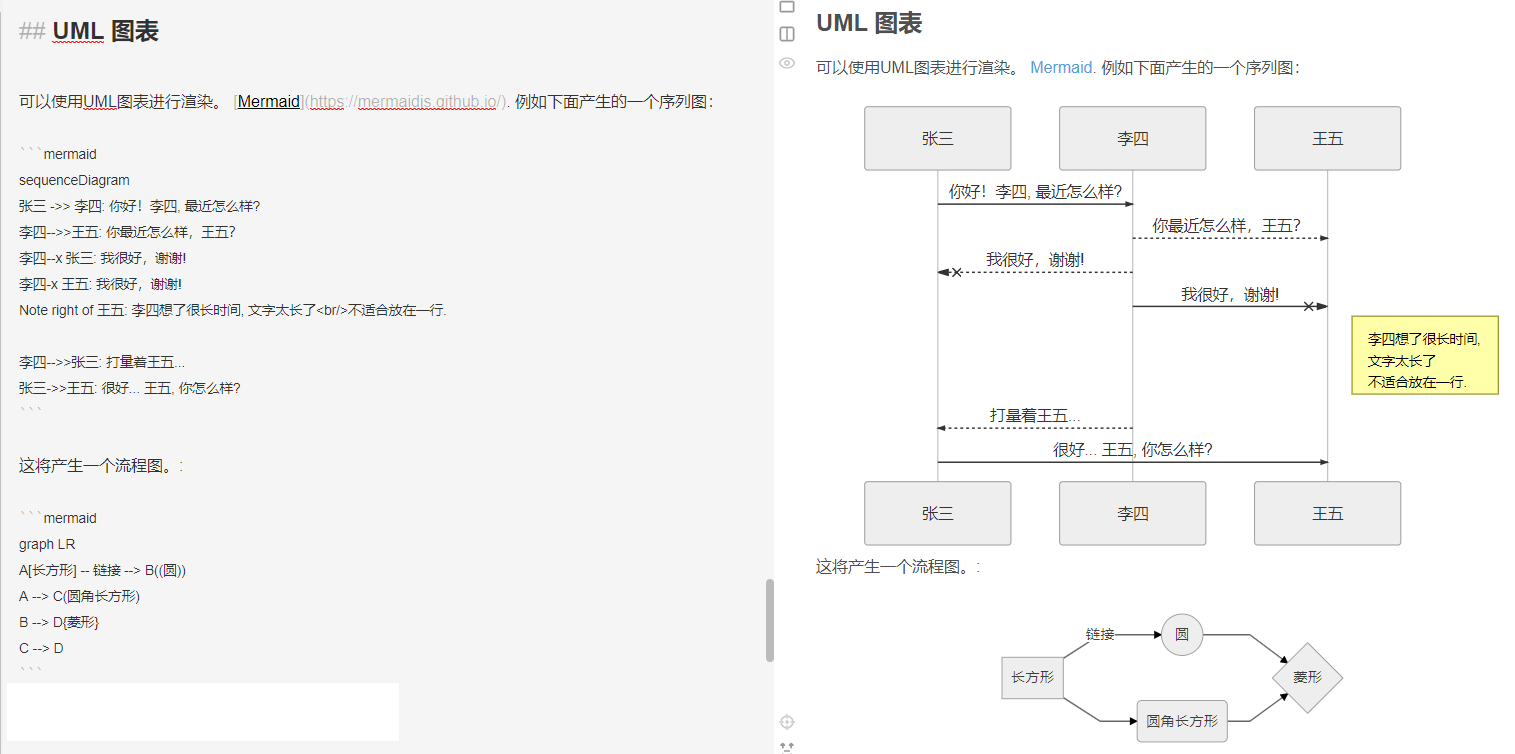
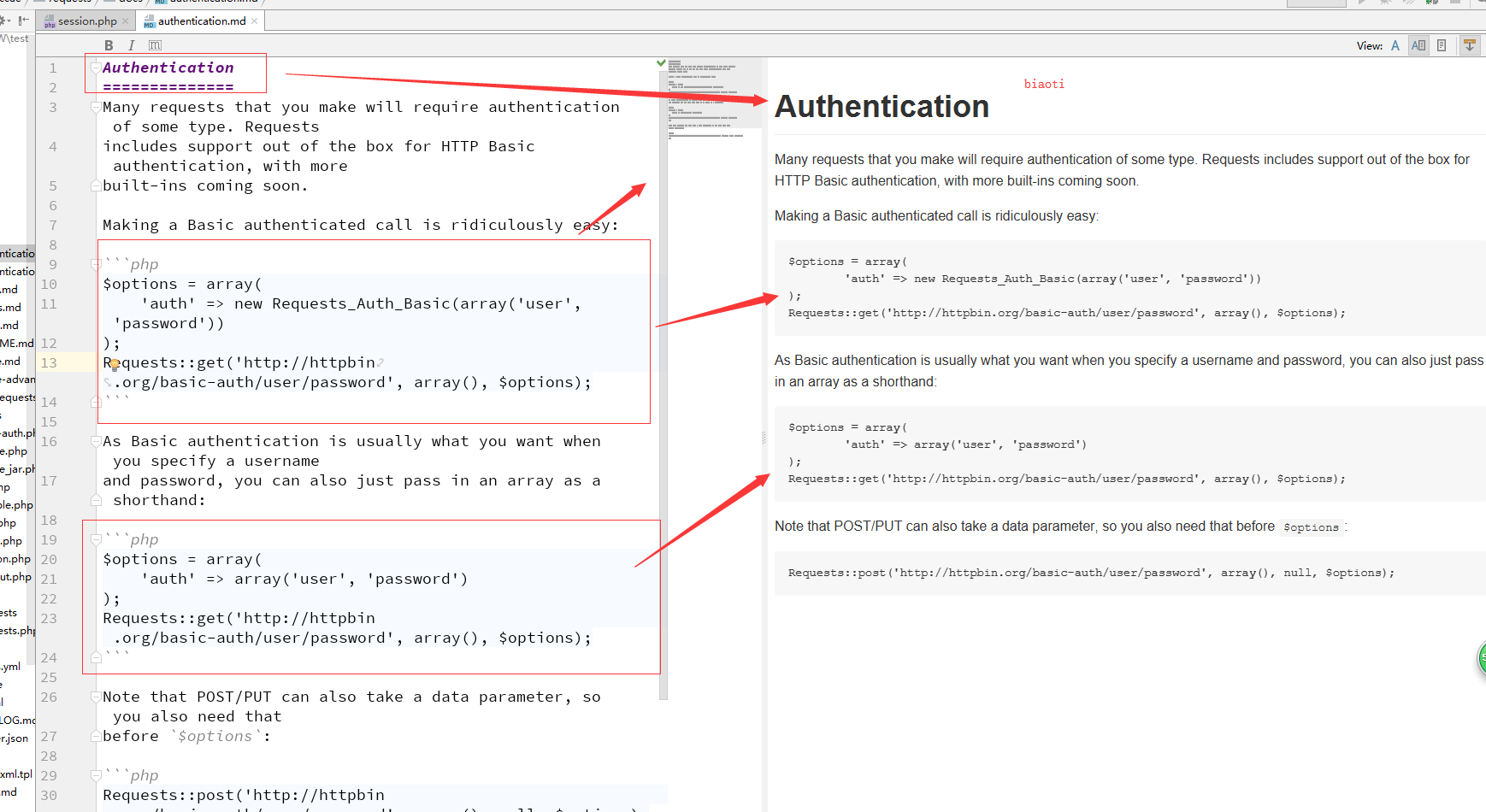
UML图
[参考文档](https://mermaidjs.github.io/#/sequenceDiagram)
```mermaid
sequenceDiagram
张三 ->> 李四: 你好!李四, 最近怎么样?
李四-->>王五: 你最近怎么样,王五?
李四--x 张三: 我很好,谢谢!
李四-x 王五: 我很好,谢谢!
Note right of 王五: 李四想了很长时间, 文字太长了<br/>不适合放在一行.
李四-->>张三: 打量着王五...
张三->>王五: 很好... 王五, 你怎么样?
```
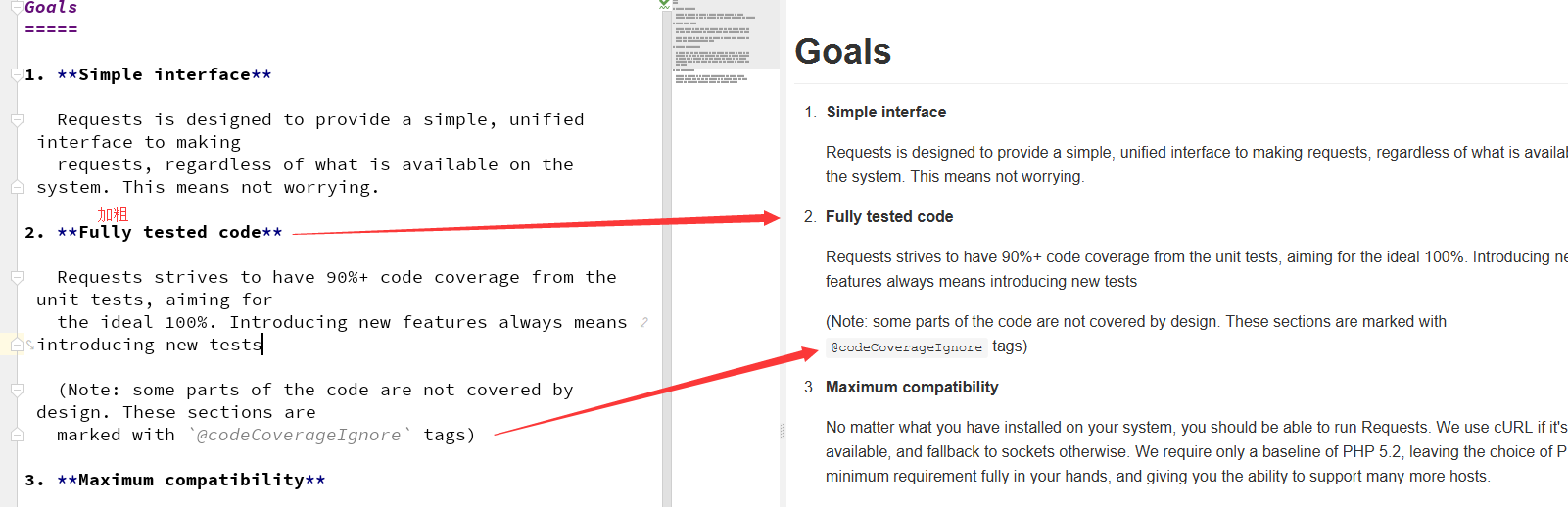
Goals
=====

1. **Simple interface**

   Requests is designed to provide a simple, unified interface to making
   requests, regardless of what is available on the system. This means not worrying.

2. **Fully tested code**

   Requests strives to have 90%+ code coverage from the unit tests, aiming for
   the ideal 100%. Introducing new features always means introducing new tests

   (Note: some parts of the code are not covered by design. These sections are
   marked with `@codeCoverageIgnore` tags)
做个链接
Documentation
=============

If you're here, you're looking for documentation for Requests! The documents
here are prose; you might also want to check out the [API documentation][].

[API documentation]: http://requests.ryanmccue.info/api/

* Introduction
   * [Goals][goals]
   * [Why should I use Requests instead of X?][why-requests]
* Usage
   * [Making a request][usage]
   * [Advanced usage][usage-advanced]
   * [Authenticating your request][authentication]
* Advanced Usage
   * [Custom authentication][authentication-custom]
   * [Requests through proxy][proxy]
   * [Hooking system][hooks]

[goals]: goals.md
[why-requests]: why-requests.md
[usage]: usage.md
[usage-advanced]: usage-advanced.md
[authentication]: authentication.md
[authentication-custom]: authentication-custom.md
[hooks]: hooks.md
[proxy]: proxy.md
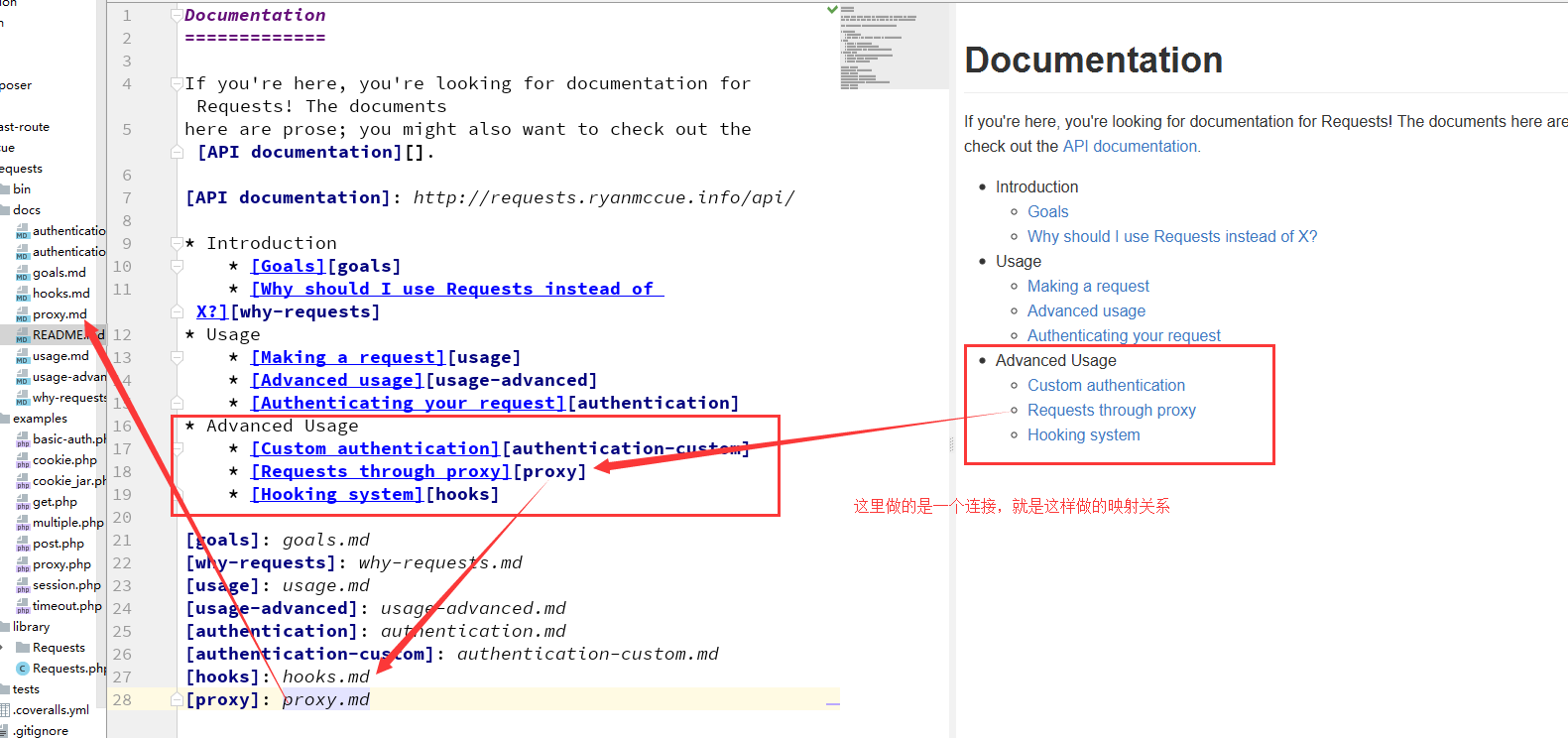
二级标题是怎么做的
Usage
=====

Ready to go? Make sure you have Requests installed before attempting any of the
steps in this guide.


Loading Requests
----------------
Before we can load Requests up, we'll need to make sure it's loaded. This is a
simple two-step:

```php
// First, include Requests
include('/path/to/library/Requests.php');

// Next, make sure Requests can load internal classes
Requests::register_autoloader();
```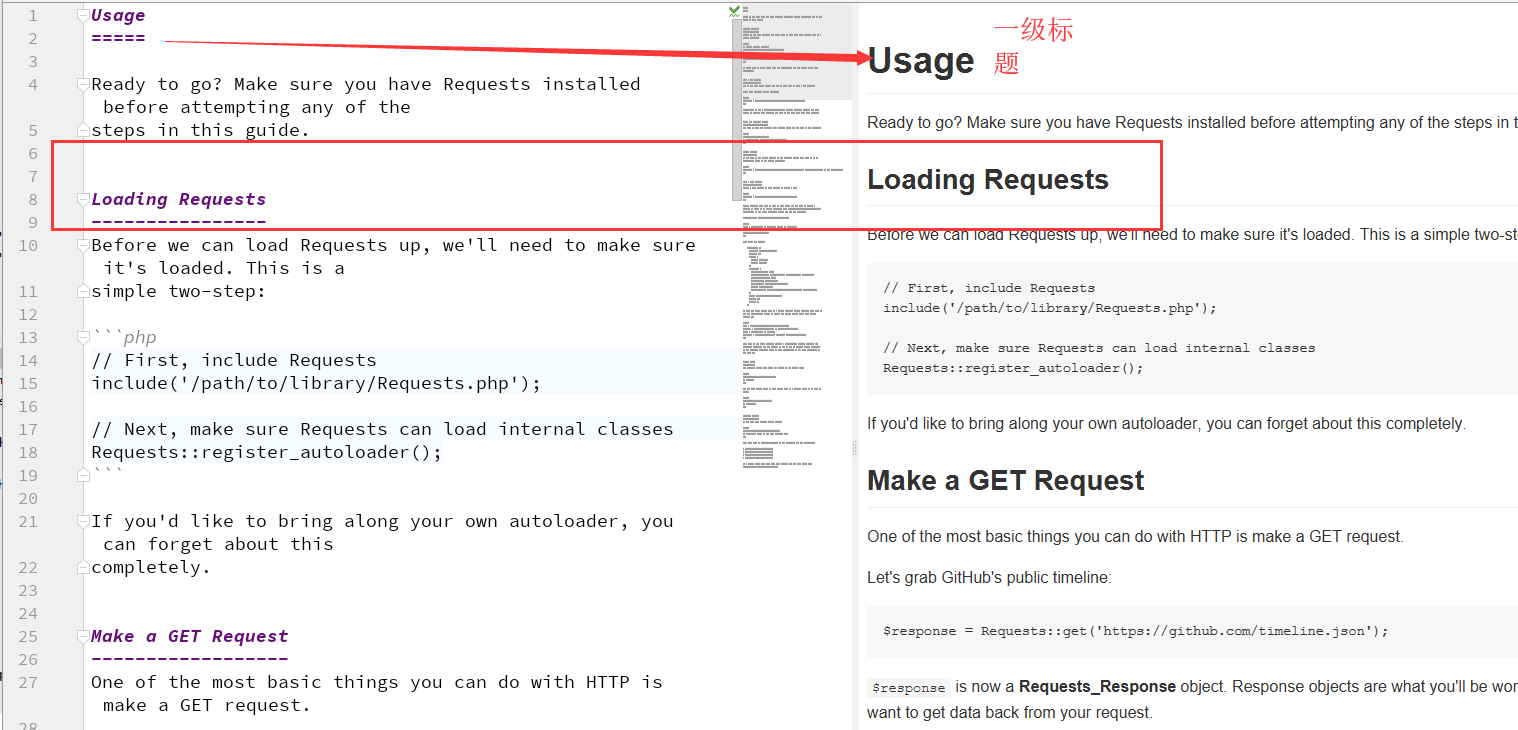
通过上面的简单的描述,我们清楚的知道 标题 二级标题 代码块、以及 标题加粗 前面小圆点 如何制作,如果需要时,直接查看此文档即可。
github md文件的编写
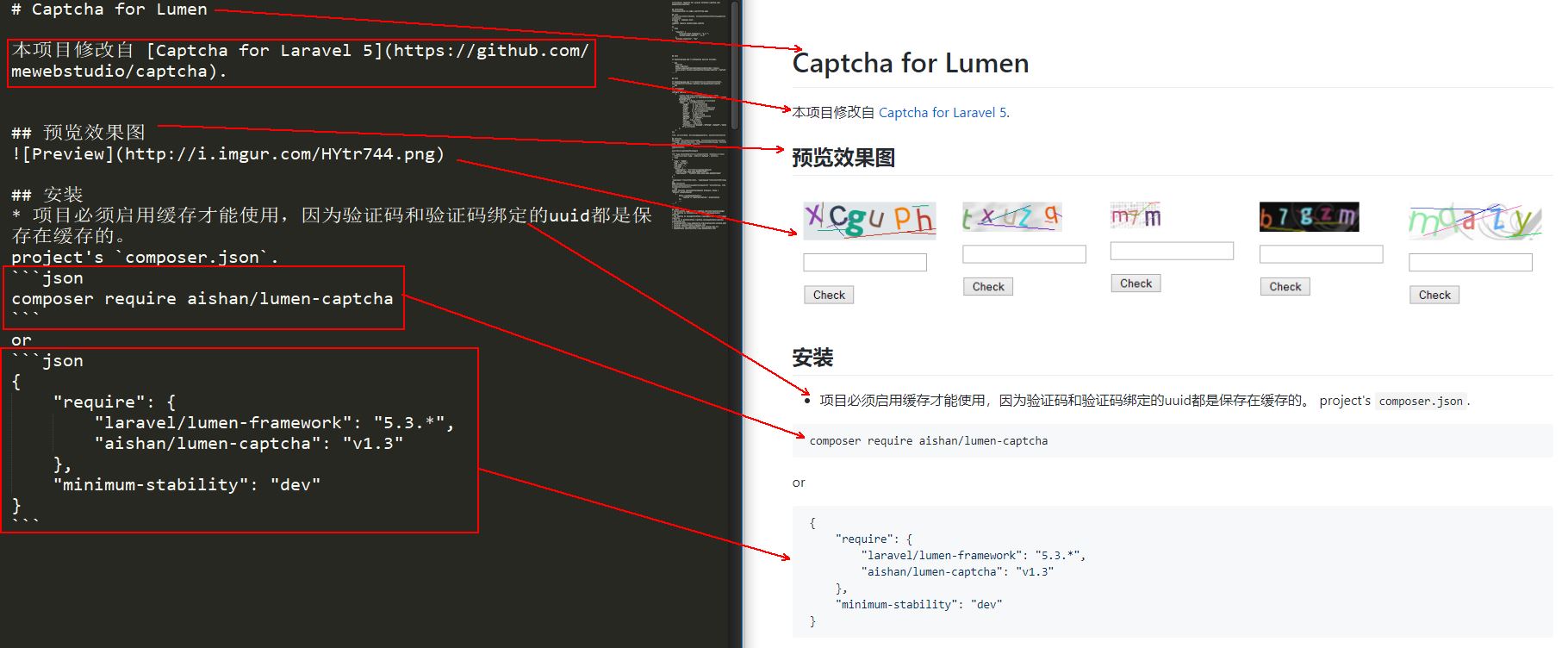
# Captcha for Lumen
本项目修改自 [Captcha for Laravel 5](https://github.com/mewebstudio/captcha).
## 预览效果图

## 安装
* 项目必须启用缓存才能使用,因为验证码和验证码绑定的uuid都是保存在缓存的。
project's `composer.json`.
```json
composer require aishan/lumen-captcha
```
or
```json
{
"require": {
"laravel/lumen-framework": "5.3.*",
"aishan/lumen-captcha": "v1.3"
},
"minimum-stability": "dev"
}
```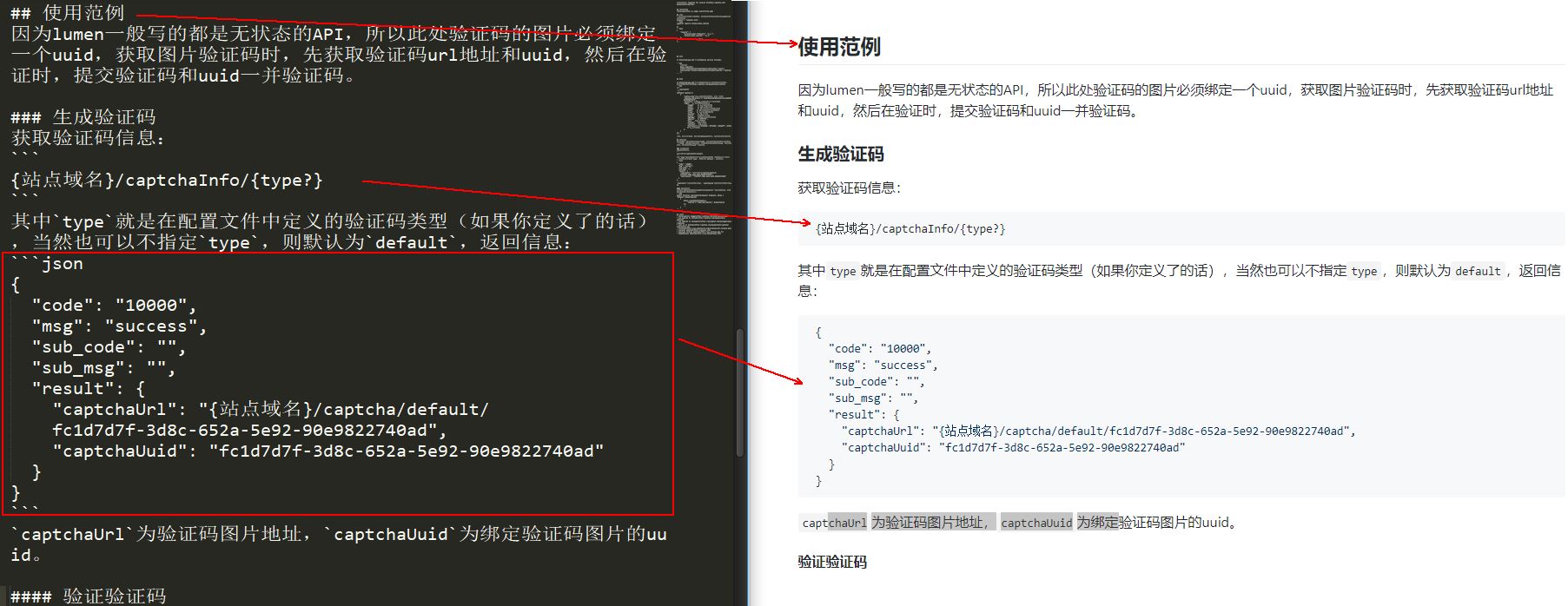
## 使用范例
因为lumen一般写的都是无状态的API,所以此处验证码的图片必须绑定一个uuid,获取图片验证码时,先获取验证码url地址和uuid,然后在验证时,提交验证码和uuid一并验证码。

### 生成验证码
获取验证码信息:
```
{站点域名}/captchaInfo/{type?}
```
其中`type`就是在配置文件中定义的验证码类型(如果你定义了的话),当然也可以不指定`type`,则默认为`default`,返回信息:
```json
{
  "code": "10000",
  "msg": "success",
  "sub_code": "",
  "sub_msg": "",
  "result": {
    "captchaUrl": "{站点域名}/captcha/default/fc1d7d7f-3d8c-652a-5e92-90e9822740ad",
    "captchaUuid": "fc1d7d7f-3d8c-652a-5e92-90e9822740ad"
  }
}
```
`captchaUrl`为验证码图片地址,`captchaUuid`为绑定验证码图片的uuid。
这是github上建立连接使用的
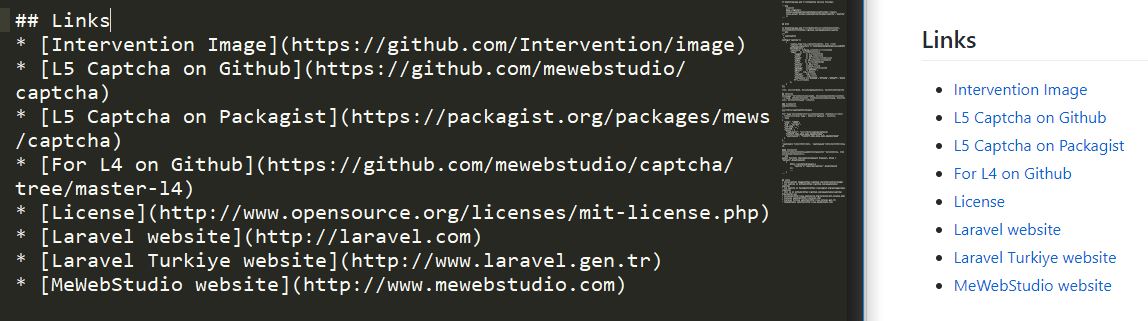
## Links
* [Intervention Image](https://github.com/Intervention/image)
* [L5 Captcha on Github](https://github.com/mewebstudio/captcha)
* [L5 Captcha on Packagist](https://packagist.org/packages/mews/captcha)
* [For L4 on Github](https://github.com/mewebstudio/captcha/tree/master-l4)
* [License](http://www.opensource.org/licenses/mit-license.php)
* [Laravel website](http://laravel.com)
* [Laravel Turkiye website](http://www.laravel.gen.tr)
* [MeWebStudio website](http://www.mewebstudio.com)
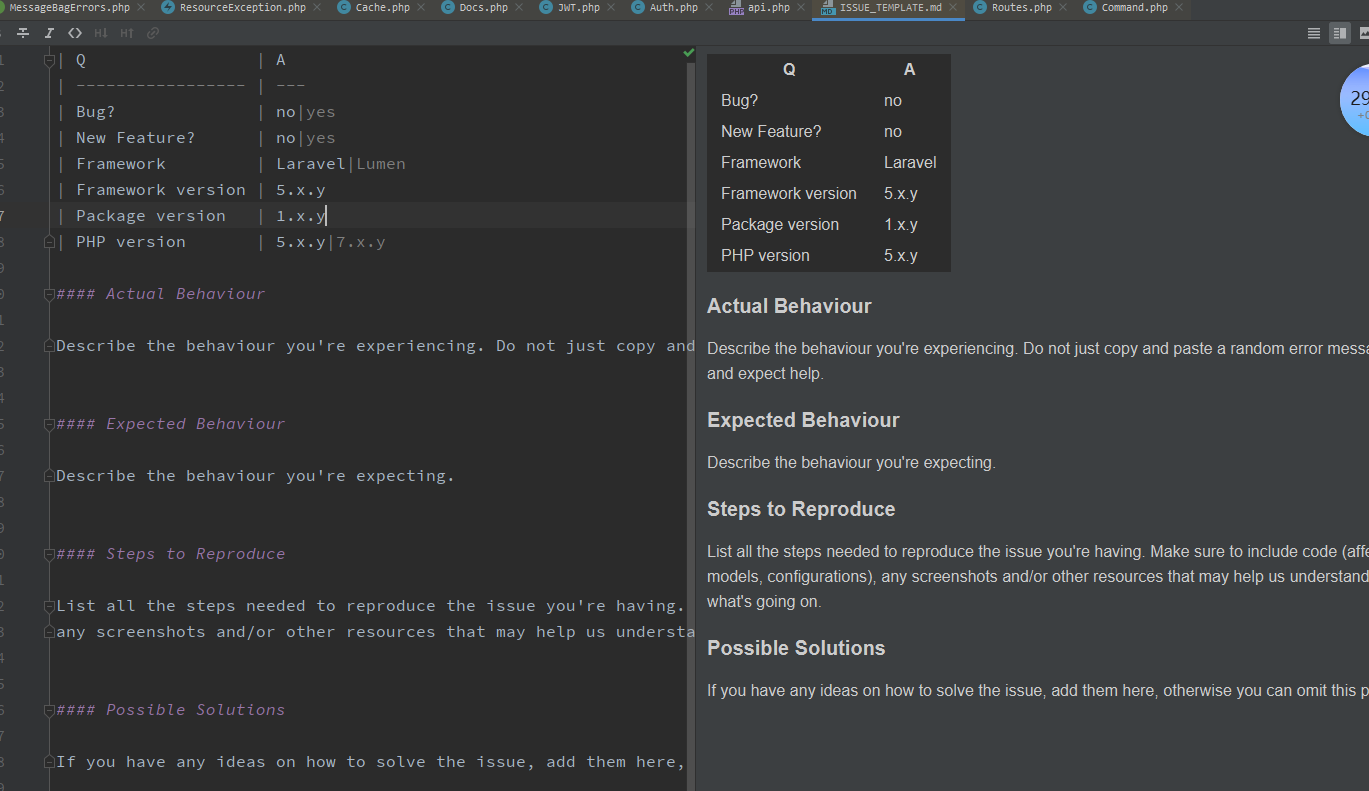
记录下标识符: