最近需要使用https的网站开发接口,自己生成的证书又不能在线上使用,因此我们需要借助一些免费的证书,
现在我们来看看阿里云提供的免费ssl证书,如何生成,如何配置
1、登录阿里云网站 http://www.net.cn 并使用账号进行登录
按图示进行操作
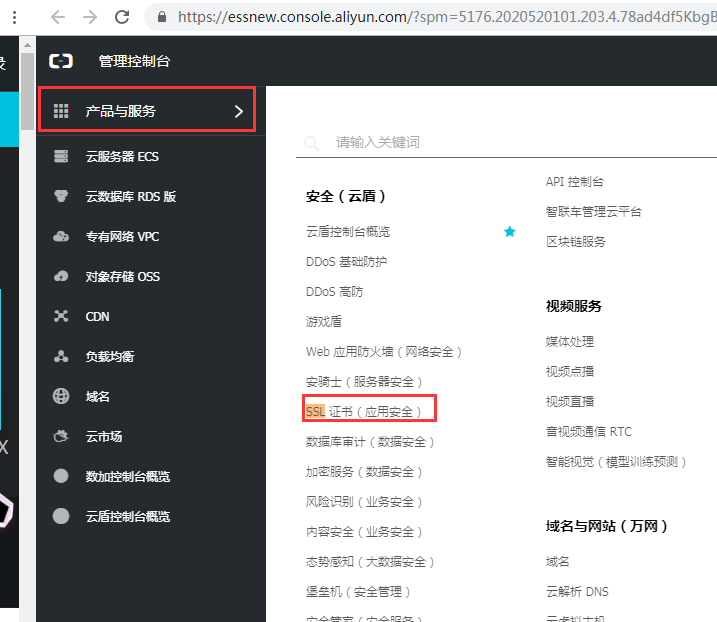
2、
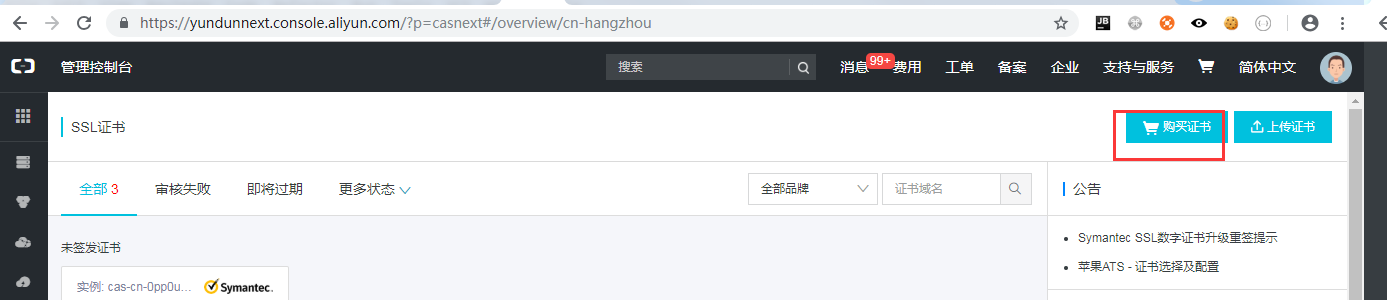
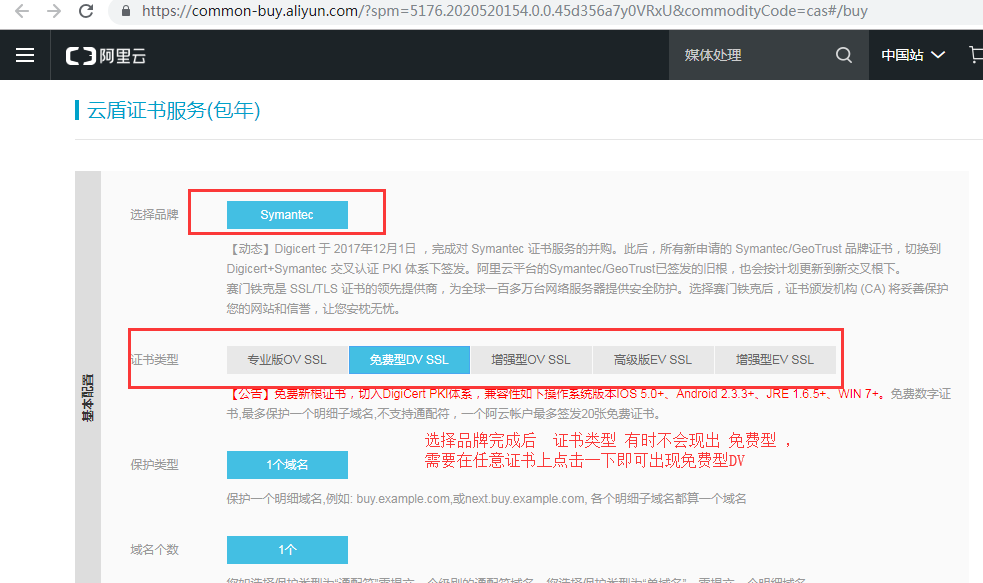
3、选择Symantec 品牌
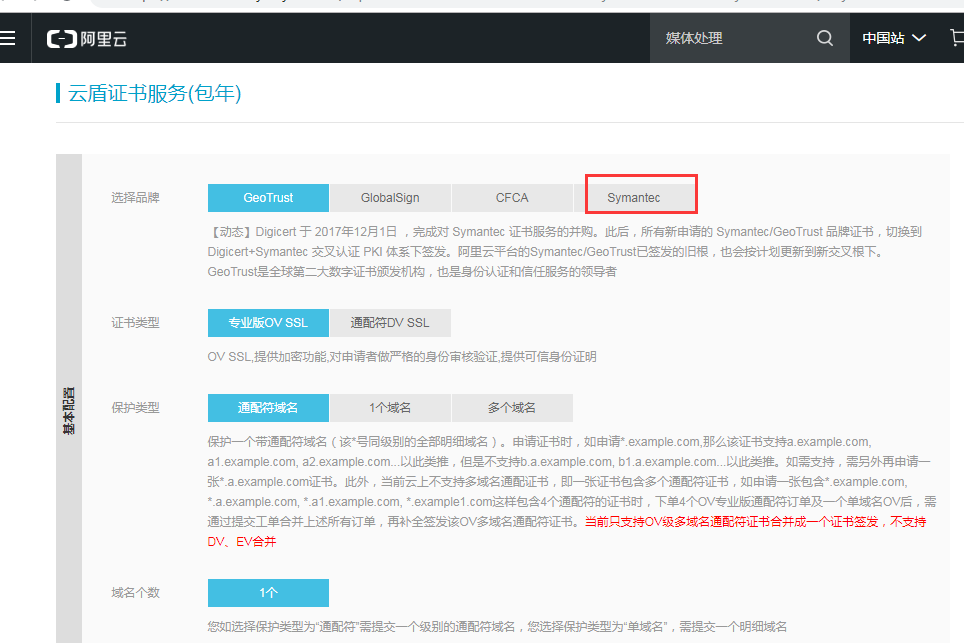
由于系统的升级,可按照下图进行申请
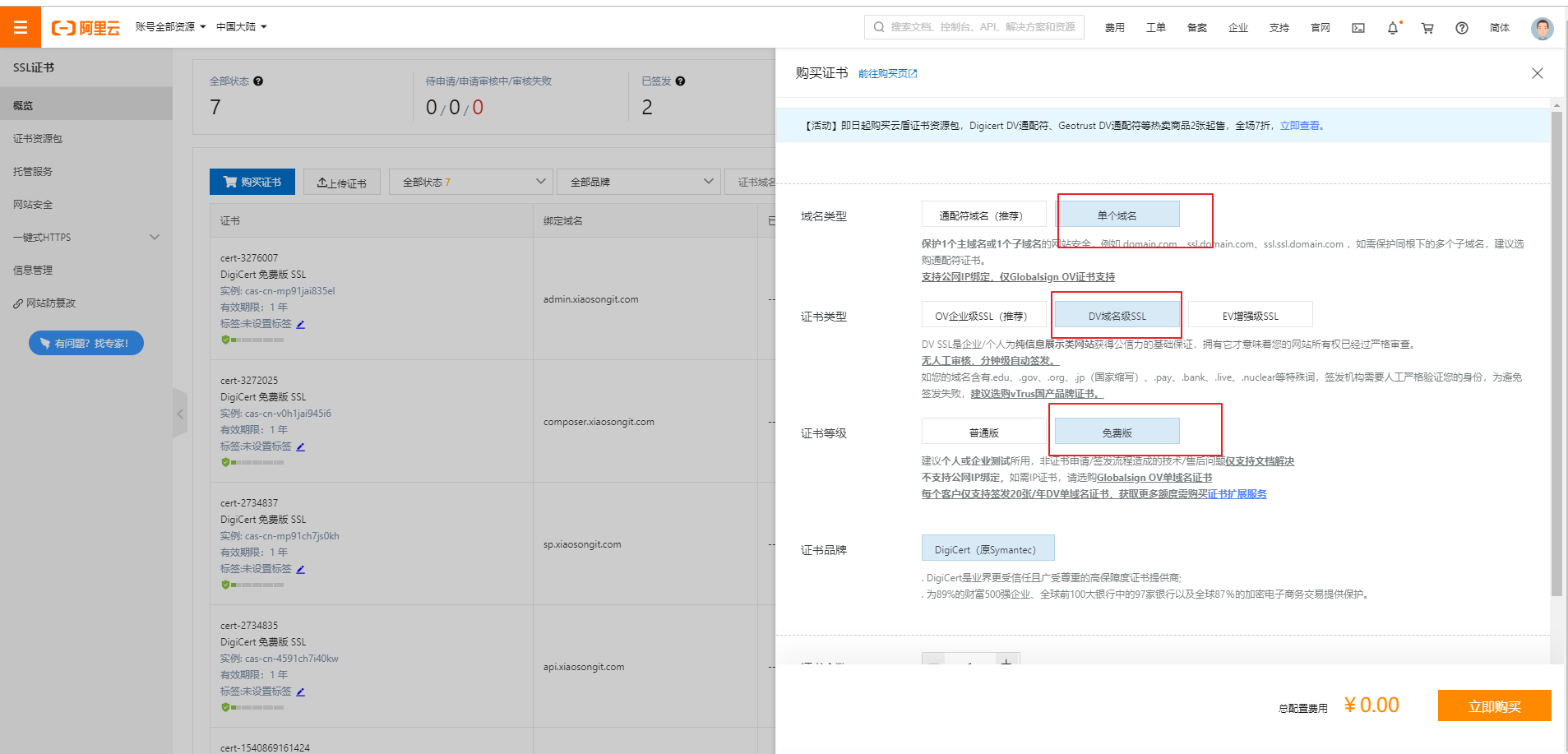
4、需要着重说明下 证书类型 选择免费型DV SSL ,如果没有出现免费型DV SSL 则在任意证书类型上点击下,即可出现,按照下面的要求,完成,提交即可。
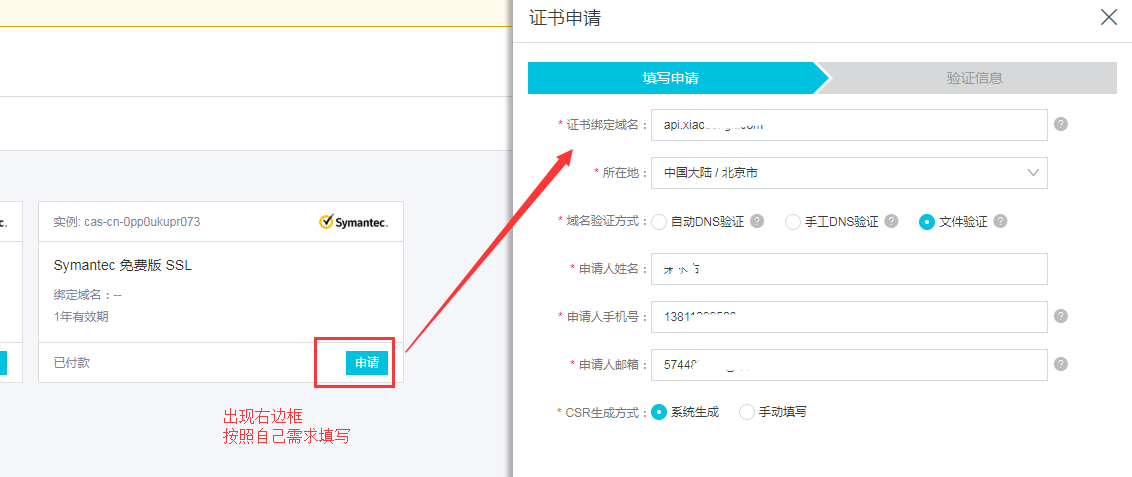
5、出现这个窗口后,点击申请,切记 证书绑定域名 必须和访问站点是一样的。
说明一点,域名验证方式
如果域名在阿里云注册的,选择 自动DNS验证 根据自己的需求选择吧。
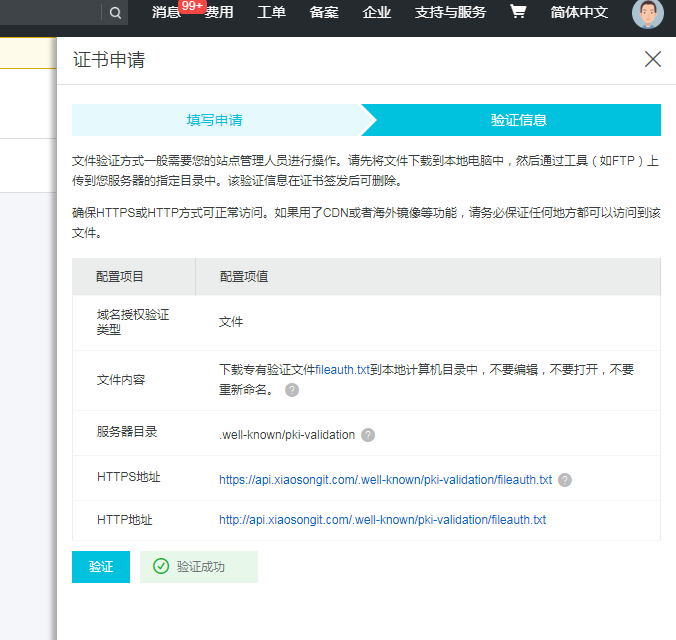
这是选择的file验证的,截图如下
7、申请完成后 等待审核通过。 通过以后如下图
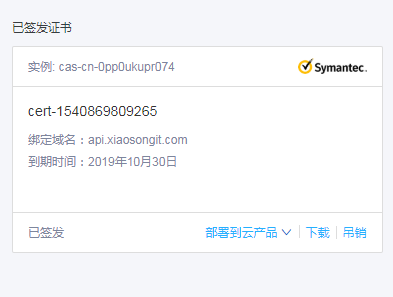
点击下载 把文件下载到服务器上。
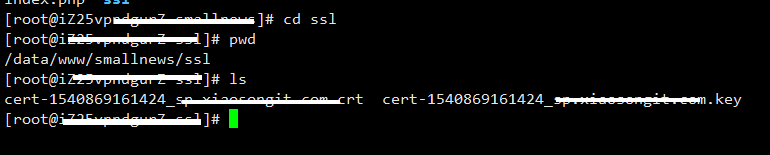
8、nginx配置
server {
        listen       443;
        ssl on;
        #证书
        ssl_certificate /data/www/smallnews/ssl/cert-1540869161424_sp.crt;
        #私钥
        ssl_certificate_key /data/www/smallnews/ssl/cert-1540869161424_.key;
        ssl_protocols TLSv1 TLSv1.1 TLSv1.2;
        ssl_prefer_server_ciphers on;
        server_name sp.xiaosongit.com;
        #rewrite ^(.*)$ https://$host$1 permanent;
        index index.php index.html;
        root  /data/www/smallnews;
        #error_page 404 = /404/index.html;
        location / {
            root   /data/www/smallnews;
            index  index.php index.htm;
            #rewrite "/chanyezhou.html" /index.php?a=index&m=z  last;
        }


        location ~ .*\.(jpg|jpeg|png|gif|js|css)$ {
                expires 1d;
        }
        location ~ \.php(/|$) {
                fastcgi_pass   127.0.0.1:9054;
                fastcgi_index  index.php;
                fastcgi_split_path_info ^(.+\.php)(.*)$;
                fastcgi_param PATH_INFO $fastcgi_path_info;
                fastcgi_param  SCRIPT_FILENAME  $document_root$fastcgi_script_name;
                include        fastcgi_params;
        }
}
9、重新启动nginx服务
service nginx restart
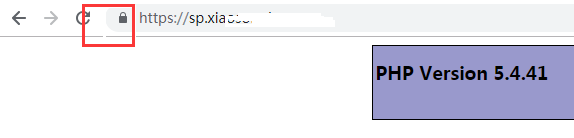
10、打开浏览器输入域名看看吧
接上文
网站 http 强制跳转 https 方法 http://new.xiaosongit.com/article/505.html |